Lỗi 0x80070424 thường xuất hiện khi cập nhật Windows, cài driver hoặc ứng dụng, kèm thông báo “There was a problem installing the update” hoặc Windows Update không chạy được. Nguyên nhân chính là dịch vụ Windows Update, BITS, Firewall bị hỏng hoặc dừng. Dưới đây là cách khắc phục hiệu quả nhất theo thứ tự.
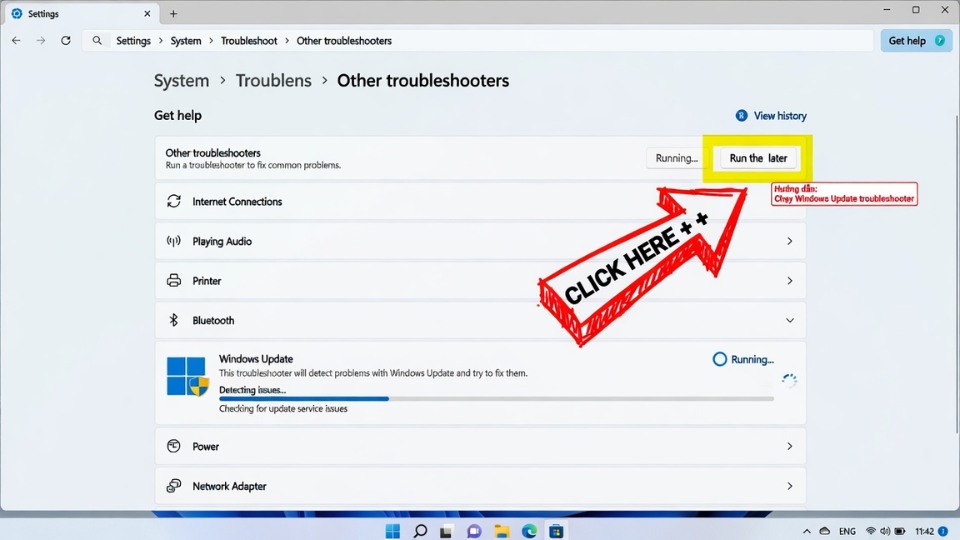
1. Chạy Windows Update Troubleshooter
- Nhấn Windows + I mở Settings.
- Chọn System → Troubleshoot → Other troubleshooters.
- Tìm Windows Update → nhấn Run.
- Để Windows tự động quét và sửa lỗi.
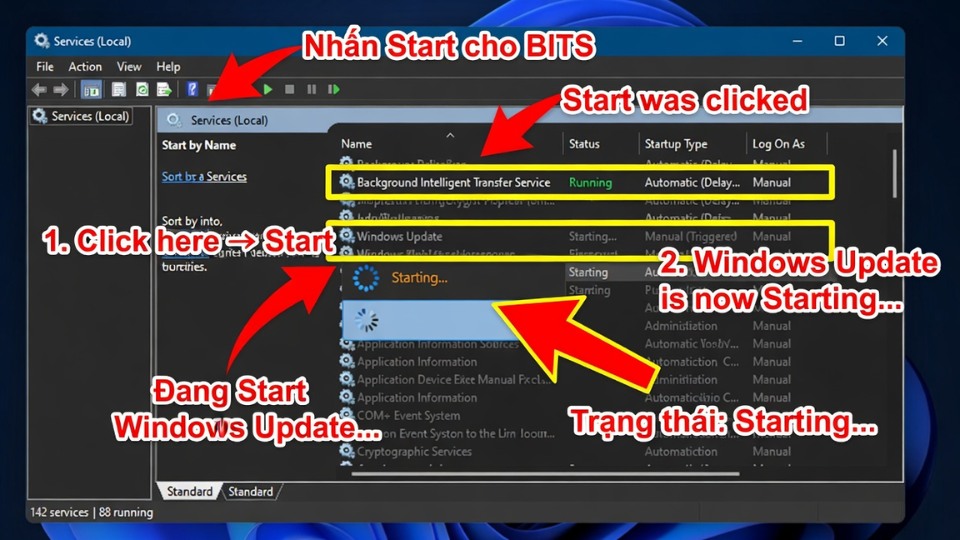
2. Khởi động lại các dịch vụ quan trọng (Bước rất hiệu quả)
- Nhấn Windows + R, gõ services.msc rồi Enter.
- Tìm và khởi động lại các service sau (chuột phải → Restart):
- Windows Update
- Background Intelligent Transfer Service (BITS)
- Cryptographic Services
- Windows Defender Firewall
- Đặt Startup type của cả 4 service thành Automatic.
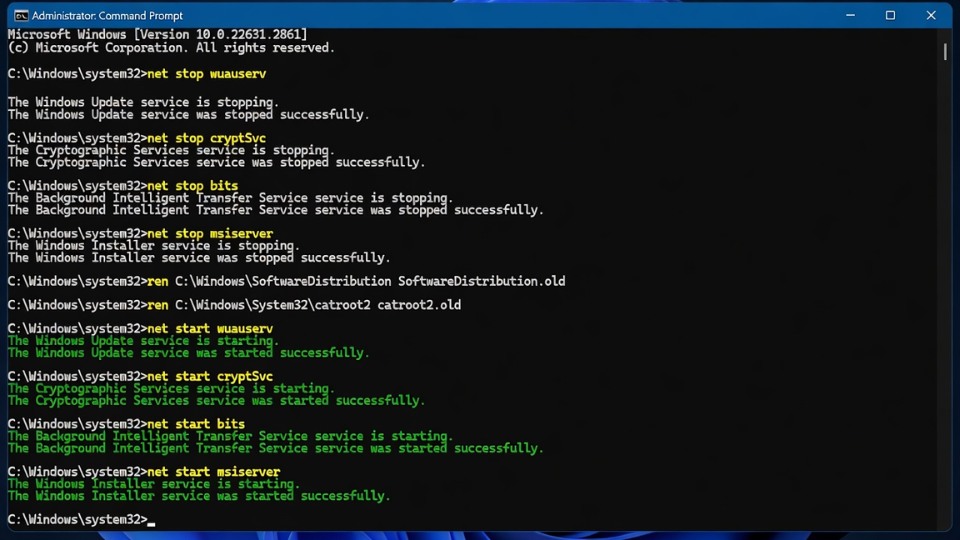
3. Reset Windows Update Components (Cách mạnh nhất)
Mở Command Prompt với quyền Administrator:
- Nhấn Windows + S, gõ cmd, chuột phải → Run as administrator.
- Gõ lần lượt các lệnh sau (Enter sau mỗi lệnh):
cmd
net stop wuauserv
net stop cryptSvc
net stop bits
net stop msiserver

ren C:\Windows\SoftwareDistribution SoftwareDistribution.old
ren C:\Windows\System32\catroot2 Catroot2.old

net start wuauserv
net start cryptSvc
net start bits
net start msiserver- Khởi động lại máy tính.
4. Sửa lỗi hệ thống bằng DISM và SFC
- Mở Command Prompt (Admin).
- Gõ lần lượt:
cmd
DISM /Online /Cleanup-Image /RestoreHealth
sfc /scannow- Khởi động lại máy sau khi chạy xong.
5. Các cách khắc phục nâng cao
- Cập nhật Windows 11 mới nhất: Settings → Windows Update → Check for updates.
- Repair Windows Update: Settings → Apps → Installed apps → tìm Windows Update (hoặc Microsoft Update) → Advanced options → Repair.
- Tắt tạm thời Antivirus thứ ba.
- Dùng Windows Update Assistant tải trực tiếp từ Microsoft.