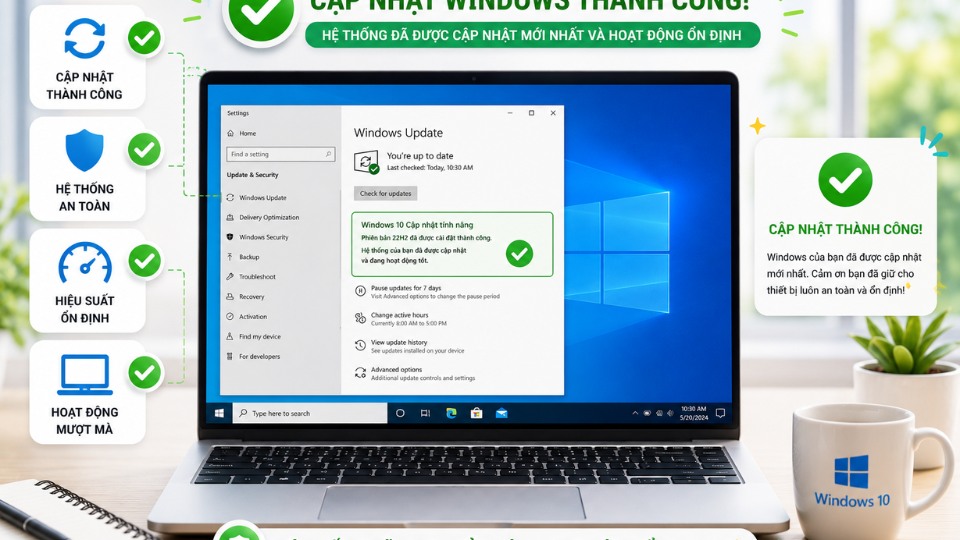
Lỗi 0x80070020 (ERROR_SHARING_VIOLATION) thường xảy ra khi Windows Update không thể cập nhật vì một chương trình khác đang sử dụng file cần cập nhật. Đây là lỗi khá phổ biến. Dưới đây là cách khắc phục theo thứ tự hiệu quả nhất.
1. Khởi động lại máy tính (Cách đơn giản nhưng hiệu quả)
- Khởi động lại máy tính hoàn toàn (Restart).
- Sau khi khởi động xong, vào Settings → Update & Security → Windows Update → Check for updates thử lại.
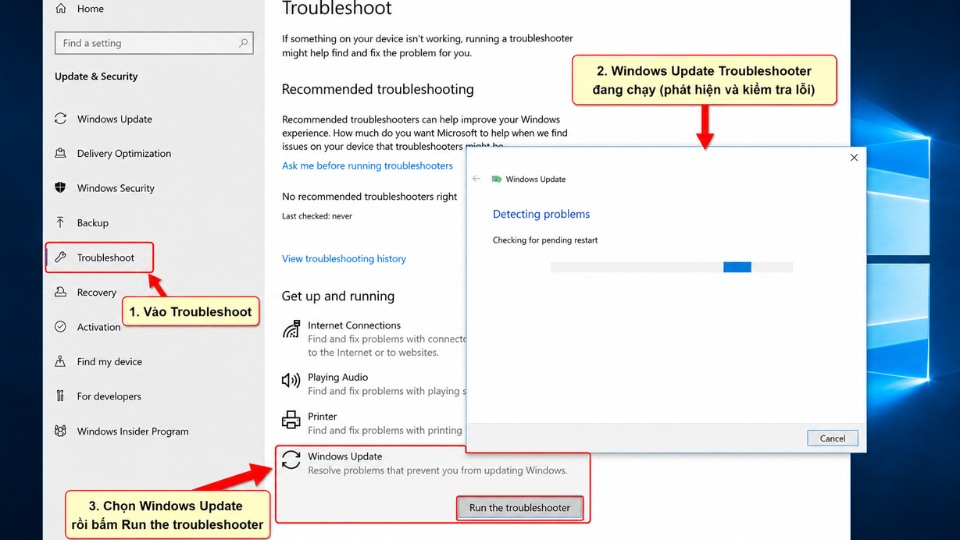
2. Chạy Windows Update Troubleshooter
- Nhấn Windows + I mở Settings.
- Chọn Update & Security → Troubleshoot → Additional troubleshooters.
- Tìm Windows Update → nhấn Run the troubleshooter.
- Để Windows tự động sửa lỗi.
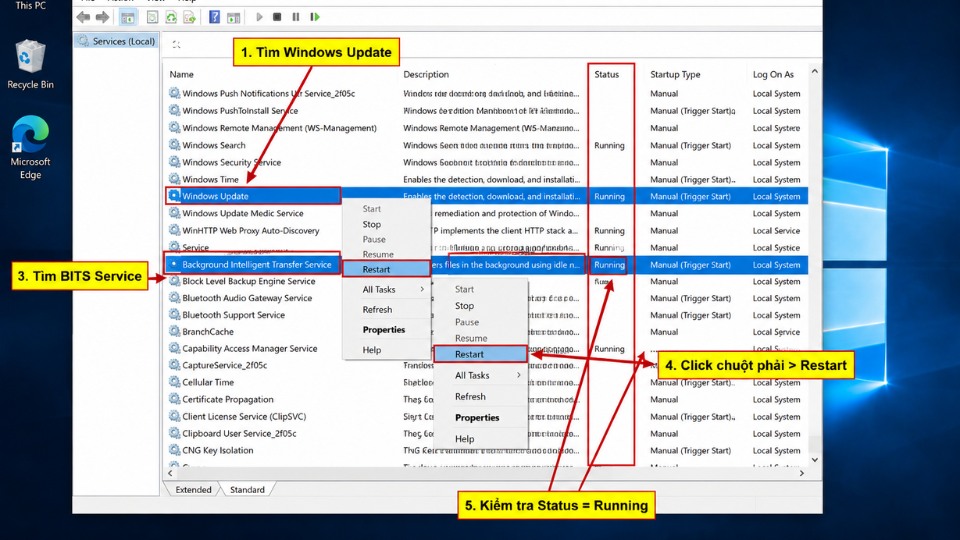
3. Restart các dịch vụ Windows Update
- Nhấn Windows + R, gõ services.msc rồi Enter.
- Tìm và khởi động lại các service sau (chuột phải → Restart):
- Windows Update
- Background Intelligent Transfer Service (BITS)
- Cryptographic Services
- Đặt Startup type của chúng thành Automatic.
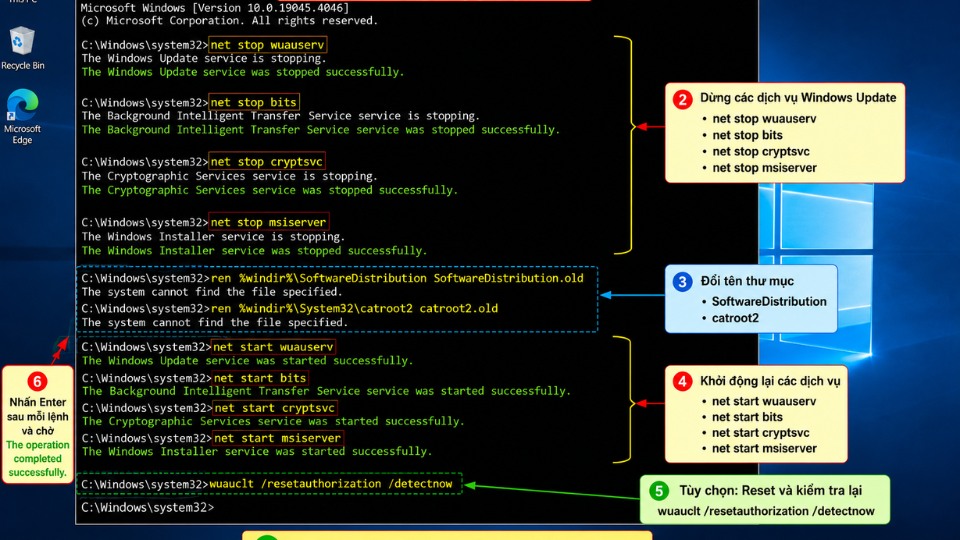
4. Reset Windows Update Components (Cách mạnh và hiệu quả cao)
Mở Command Prompt với quyền Administrator:
- Nhấn Windows + S, gõ cmd, chuột phải → Run as administrator.
- Gõ lần lượt các lệnh sau (Enter sau mỗi lệnh):
cmd
net stop wuauserv
net stop cryptSvc
net stop bits
net stop msiserver

ren C:\Windows\SoftwareDistribution SoftwareDistribution.old
ren C:\Windows\System32\catroot2 Catroot2.old

net start wuauserv
net start cryptSvc
net start bits
net start msiserver- Khởi động lại máy và thử cập nhật lại.
5. Chạy SFC và DISM
- Mở Command Prompt (Admin).
- Gõ lần lượt:
cmd
DISM /Online /Cleanup-Image /RestoreHealth
sfc /scannow- Khởi động lại máy.
6. Các cách khác nếu vẫn chưa được
- Tắt tạm thời Antivirus (Windows Defender hoặc phần mềm thứ ba).
- Cập nhật Windows thủ công qua Microsoft Update Catalog.
- Sử dụng Windows Update Assistant tải trực tiếp từ Microsoft.